
I’ll be honest: most of the “experts” preaching about gaze-tracking UI optimization are just selling you expensive, over-engineered nonsense that nobody actually needs. I spent three months on a high-budget project last year where we followed every single “industry standard” protocol to the letter, only to realize we had built a digital labyrinth that felt completely unnatural to the users. We were so focused on the math of heatmaps and saccades that we forgot a basic truth: people don’t look at screens like they’re operating a surgical robot; they look at them like humans.
I’m not here to drown you in academic jargon or sell you on some magical, automated solution that promises to fix your conversion rates overnight. Instead, I’m going to give you the unfiltered reality of what actually works when you’re designing for human eyes. We’re going to skip the fluff and dive straight into the practical, battle-tested tactics that make an interface feel intuitive rather than exhausting. By the end of this, you’ll know exactly how to build layouts that actually flow with a user’s natural gaze.
Table of Contents
Decoding Intent Through Fixation and Saccade Analysis

To build an interface that feels intuitive, you have to stop looking at the eyes as simple cursors and start seeing them as data streams of intent. This is where fixation and saccade analysis becomes your most powerful tool. When a user fixates on a button, they aren’t just looking; they are processing information or preparing to act. Conversely, those rapid, jerky movements known as saccades reveal how they are scanning the layout. If you notice a user’s eyes darting erratically between two distant elements, you’ve likely created a layout that spikes their cognitive load in gaze-based interfaces, leaving them frustrated rather than focused.
Instead of just tracking where the pupil lands, you need to map the rhythm of the gaze. A long fixation on a specific icon suggests high interest or confusion, while a series of quick saccades might indicate a search pattern. By analyzing these patterns, you can predict where a user is heading before they even click. It’s about moving beyond static heatmaps and into the realm of predictive interaction, ensuring the UI anticipates the user’s next move rather than just reacting to it.
Reducing Cognitive Load in Gaze Based Interfaces

The biggest mistake designers make is treating the eye like a mouse cursor. A mouse is a precise tool, but the human eye is a chaotic, twitchy sensor. If you flood a user with too many interactive elements, you aren’t just cluttering the screen; you are inducing mental fatigue. When we talk about cognitive load in gaze-based interfaces, we’re really talking about how much “brain power” it takes for a user to filter out noise just to find a single button. If every icon is screaming for attention, the user’s gaze will jump erratically, leading to a frustrating loop of missed targets and visual exhaustion.
Beyond the technical mechanics of eye movement, you also have to consider the unpredictability of real-world environments. Just as a designer can’t control every distraction a user faces, you can’t always predict how much mental energy someone has left when they sit down to interact with your system. If you find yourself struggling to balance high-level data density with intuitive navigation, I’ve found that looking into how people manage their personal connections and social energy—much like the organic, unscripted nature of sex in bristol—can actually provide a strange but useful metaphor for minimizing friction in human-centric design. It’s all about meeting the user exactly where they are, rather than forcing them to adapt to your rigid architecture.
To fix this, you have to lean into human-computer interaction ergonomics. Instead of forcing the user to hunt for information, let the interface anticipate their focus. This is where you can get clever with foveated rendering techniques—not just to save processing power, but to subtly guide the user’s focus by keeping the periphery soft and the center sharp. By simplifying the visual hierarchy, you ensure that the user’s natural scanning patterns work with your design rather than fighting against it.
Five Practical Ways to Stop Fighting the User's Eyes
- Stop chasing the cursor. In gaze-based design, users don’t “point” with precision; they scan. Instead of making them hit tiny buttons, use larger, magnetic hit zones that snap to where their focus is landing.
- Respect the “Midas Touch” problem. Just because someone looks at a button doesn’t mean they want to click it. Implement a dwell-time delay or a secondary confirmation step so users don’t accidentally trigger a dozen actions just by glancing around.
- Design for the “Foveal Tunnel.” Human vision is sharp in a tiny center spot and blurry everywhere else. Keep your most critical interactive elements within that high-clarity zone to prevent users from feeling lost in a sea of peripheral noise.
- Use visual cues to guide, not distract. If you want someone to look at a specific notification, use subtle motion or luminance shifts. Don’t use flashing lights that trigger a frantic saccade—you want to guide their gaze, not hijack it.
- Build in a “visual reset.” Gaze-tracking can be exhausting. Give users an easy way to clear their focus or return to a neutral state so they aren’t constantly fighting the interface to regain control of their visual attention.
The Bottom Line: Making Gaze-Tracking Feel Natural
Stop fighting biology; design your interface to follow the natural rhythm of human eye movement rather than forcing users to adapt to rigid, unnatural layouts.
Use fixation data to spot where users are getting stuck, and treat those “dead zones” as immediate red flags for poor UI hierarchy.
Minimize the mental heavy lifting by ensuring that the most critical interactive elements are exactly where a user’s gaze expects them to be.
## The Golden Rule of Gaze Design
“Stop designing for where you want the user to look, and start designing for where their eyes are already fighting to go. If your interface is battling human instinct, the user loses every single time.”
Writer
The Future is in Your Sightline
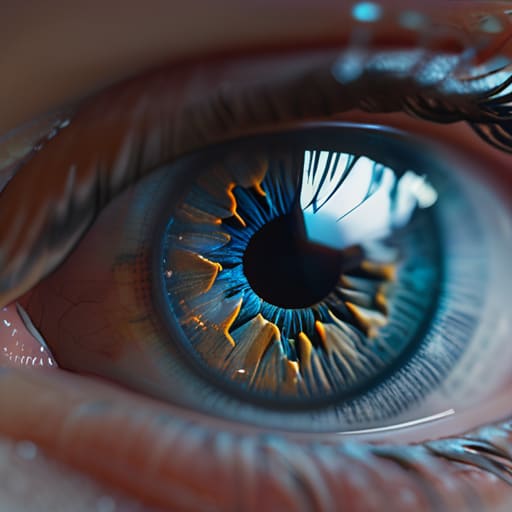
At the end of the day, optimizing for gaze-tracking isn’t just about tracking coordinates on a screen; it’s about respecting the user’s natural biology. We’ve looked at how mastering the rhythm of fixations and saccades allows us to predict intent, and how stripping away unnecessary visual noise is the only way to prevent cognitive burnout. If you can bridge the gap between where a user looks and what they actually want to achieve, you stop building tools and start building seamless extensions of human thought. It’s a delicate balancing act between high-tech precision and intuitive, low-friction design.
As we move toward a world where our eyes become our primary cursor, the designers who succeed won’t be the ones with the most complex algorithms, but the ones who understand human psychology most deeply. We are stepping into an era of invisible computing, where the interface disappears and only the experience remains. Don’t just build for the eyes; build for the intent behind the gaze. The goal isn’t to make people look at your UI—it’s to make your UI feel like it’s already one step ahead of them.
Frequently Asked Questions
How do you handle the "Midas Touch" problem where every glance accidentally triggers a button click?
The “Midas Touch” is the ultimate UX nightmare—turning every curious glance into an accidental command. To fix it, stop treating every fixation as a click. Instead, implement a “dwell time” threshold; users should have to hold their gaze for a specific duration before an action triggers. You can also layer in secondary confirmation gestures or use “gaze-plus-click” mechanics, where eye tracking handles navigation, but a physical button or voice command handles the actual intent.
What are the best ways to design for users with natural eye tremors or difficulty maintaining steady fixation?
Don’t force precision where it doesn’t exist. If a user’s eyes are jumping, tiny buttons become a nightmare. Instead, go big—use massive hit targets and generous padding to create “magnetic” zones. Avoid high-frequency flickering or tiny, high-contrast text that triggers visual fatigue. Think of it like designing for someone in a moving car: you want the interface to feel stable and forgiving, not like a target they have to hunt down.
How can we balance high-precision gaze control with the speed of traditional touch or mouse inputs?
The secret isn’t choosing one over the other; it’s about using gaze as the “pre-selector.” Think of gaze as your intent and touch as your confirmation. Use eye-tracking to hover or highlight potential targets—reducing the search time—but let the user click or tap to actually execute the action. This hybrid approach leverages the speed of vision while keeping the precision and “finality” of physical input, preventing the frustration of accidental triggers.

