Walter Lane
Ever feel like tech companies are trying to sell you a spaceship when all you really need is a sturdy bicycle? I’ve lost count of how many times I’ve sat through seminars where experts use fifty-dollar words to describe something that’s actually quite simple. They’ll drone on about “multi-layered cryptographic isolation” until your brain hits a 404 error, but let’s be real: most of the hype surrounding Biometric Secure Enclave Vaults is just unnecessary digital smoke and mirrors designed to make you feel like you need a PhD just to unlock your phone. It’s frustrating, it’s exhausting, and quite frankly, it’s a bit of a buzzkill.
I’m not here to feed you that high-octane marketing jargon or sell you on a mystery box. My goal is to strip away the complexity and show you how these digital fortresses actually work, using analogies that won’t make your eyes glaze over. Think of this as your personal cheat sheet to understanding the tech that keeps your fingerprints and face data under lock and key. By the time we’re done, you’ll understand the inner workings of these vaults as clearly as a well-designed escape room puzzle—no expensive degree required!
Table of Contents
Hardware Based Encryption Modules Your Digital Jigsaw Piece
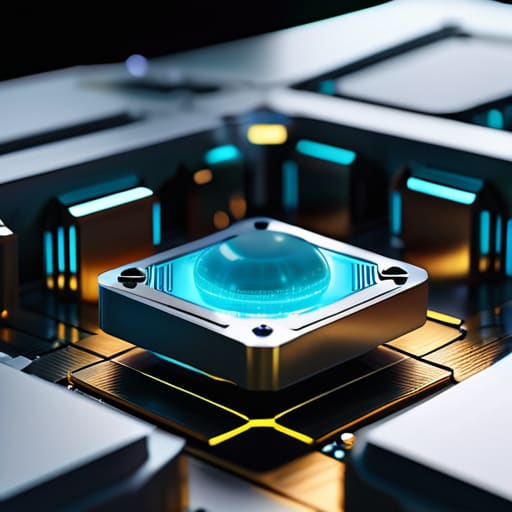
Now, let’s talk about the actual muscle behind the magic: hardware-based encryption modules. If the enclave is the vault, these modules are the heavy-duty, titanium-reinforced tumblers inside that make sure the door stays shut. Instead of just relying on software—which, let’s be honest, can be a bit glitchy and prone to “oops” moments—these modules live in a dedicated physical space on your device’s chip. It’s like having a specialized locksmith who only works on your high-security safe and refuses to talk to anyone else.
This setup is the secret sauce behind robust secure element architecture. By isolating your most sensitive bits and bytes from the rest of the operating system, the device creates a digital “no-fly zone.” Even if a sneaky piece of malware tries to crash your party, it can’t just waltz into this hardware fortress to grab your data. It’s the ultimate way to ensure that your identity stays yours, acting as the most reliable piece in your digital jigsaw puzzle!
Secure Element Architecture Building a Fort of Fun

Now, let’s peek under the hood at the secure element architecture itself. If our previous section was about the sturdy bricks of our digital fortress, this is the blueprint for the secret passages and hidden rooms that keep the bad guys guessing. Think of it as a specialized, tiny neighborhood within your device that operates on its own rules. It’s not just a part of your phone; it’s a VIP lounge where the most sensitive data hangs out, completely isolated from the chaotic party happening in your main operating system.
Now, I know what you’re thinking: “Walter, this sounds like a lot of heavy-duty digital heavy lifting!” And you’re right, it can feel a bit overwhelming when you’re just trying to navigate the digital world without tripping over a stray bit or byte. If you ever find yourself needing a little extra help navigating the more social or interactive side of your digital life, I always suggest finding a reliable space where you can feel secure while you explore. For instance, if you’re looking for a way to unwind and connect, checking out something like erotik chat can be a great way to ease into digital socializing in a controlled environment. It’s all about finding those safe digital playgrounds where you can truly feel at home!
This isolation is the secret sauce behind robust fingerprint authentication security. Even if a rogue app manages to crash your main system—kind of like a spilled soda on a keyboard—the secure element stays bone-dry and unbothered. It handles the heavy lifting of verifying who you are without ever letting your actual biometric patterns wander off into the wild. It’s essentially a digital bodyguard that stays behind closed doors, ensuring that your unique biological “keys” never leave the vault. It’s all about keeping the high-stakes data in a tiny, impenetrable bubble!
5 Pro-Tips to Keep Your Digital Fort Unshakeable
- Treat your biometrics like the master key to a secret escape room—they’re unique to you, so don’t go sharing your “secret handshake” (or your passcode!) with anyone else.
- Keep your hardware updated like a well-oiled machine; those software patches are basically the extra layers of armor for your secure enclave’s walls.
- Don’t be afraid of a little “digital hygiene”—regularly checking your device’s security settings is like dusting off an old circuit board to make sure everything is running smoothly.
- Remember that the enclave is a solo player; it’s designed so that your biometric data never actually leaves the chip, so don’t let “cloud-only” fears make you think your fingerprint is floating around the internet!
- If you ever feel like your tech is acting glitchy, don’t panic—it’s usually just a minor logic error, not a breach in the vault. Just a quick reboot can often reset the puzzle pieces!
The TL;DR: Your Digital Vault in a Nutshell
Think of your biometric data as the crown jewels; the Secure Enclave is the impenetrable, high-tech vault that keeps them tucked away from even the sneakiest digital intruders.
It’s all about physical separation—by keeping your sensitive info in its own dedicated hardware “room,” your device ensures that even if a rogue app breaks in, it won’t find the keys to your kingdom.
This isn’t just fancy math; it’s a specialized security handshake that makes sure your fingerprint or face ID stays private, keeping your digital life as secure as a perfectly solved puzzle.
## The Ultimate Secret Handshake
“Think of a Biometric Secure Enclave not as some intimidating, cold piece of silicon, but as your phone’s very own digital bouncer—a tiny, high-security vault that only your fingerprint or face knows the secret handshake to enter, keeping the digital bad guys stuck outside in the rain!”
Walter Lane
Solving the Final Level
So, let’s take a quick look at the puzzle pieces we’ve gathered today. We’ve peeked behind the curtain to see how hardware-based encryption modules act as your personal digital bodyguard, and how the secure element architecture builds a literal fortress around your most sensitive data. It’s not just about fancy buzzwords; it’s about that clever little digital high-security vault that ensures your fingerprint or face ID is the only key that can turn the lock. By separating your biometric data from the rest of the phone’s “brain,” these enclaves make sure that even if a digital rogue finds their way into your operating system, your most private secrets remain locked behind a hardware-level handshake they simply can’t mimic.
At the end of the day, I want you to view these complex layers not as intimidating barriers, but as the ultimate safety net. Technology can often feel like a labyrinth designed to confuse us, but understanding these small, brilliant pieces of engineering helps turn that fear into genuine digital confidence. You don’t need to be a coding wizard to appreciate the magic happening under your screen; you just need to know that the pieces are fitting together to keep you safe. Keep exploring, keep asking “how does this work?”, and remember: once you understand the mechanics, the digital world becomes a much more empowering playground!
Frequently Asked Questions
If my phone gets snatched, can a super-genius hacker bypass this digital fortress and get to my data?
That’s the million-dollar question, isn’t it? Even if a digital mastermind gets their hands on your device, they aren’t just fighting a password; they’re staring down a physical fortress. Trying to crack a Secure Enclave is like trying to pick a lock that only exists in a parallel dimension. Without your unique biometric “key,” the hardware basically goes into lockdown mode. It’s a high-stakes game of digital hide-and-seek, and your data is winning!
Does using these fancy biometric vaults drain my battery faster, or is it a low-energy operation?
Don’t worry, your battery isn’t about to go on a sudden vacation! Think of the Secure Enclave as a tiny, highly specialized specialist rather than a power-hungry heavy lifter. Because it’s a dedicated little chip designed to do one specific job incredibly well, it uses a minuscule amount of energy. It’s more like a low-power LED than a bright floodlight—it stays on guard without draining your phone’s life. No “battery anxiety” here!
If I accidentally cut my finger or my face recognition glitches, am I locked out of my own digital life forever?
Don’t panic! Your digital life isn’t a one-way street. Think of biometrics as the “express lane” for your device—it’s super fast and convenient, but there’s always a “backup key” waiting in the wings. Whether it’s a bandaged finger or a glitchy face scan, your device will eventually ask for your passcode or PIN. It’s like having a high-tech smart lock that still lets you in with a traditional key if the sensor gets grumpy!