 Walter Lane
I still remember the smell of singed silicon and the heart-sinking clunk of a cooling fan seizing up in my childhood bedroom. I was ten years old, armed with nothing but a damp kitchen sponge and a misguided sense of duty, trying to “tidy up” my grandfather’s old desktop. I thought I was being helpful, but I was actually staging a tiny, unintentional digital coup. Since then, I’ve learned that treating your tech like a dirty dish is the fastest way to turn a high-performance machine into a very expensive paperweight. If you’re looking for tips for cleaning computer hardware safely, please, for the love of all things binary, put down that spray bottle of window cleaner before you cause a total system meltdown.
I’m not here to sell you some overpriced, “specialized” ionized air kit that promises to polish your motherboard to a mirror shine. Instead, I’m going to give you the straight talk—the kind of seasoned, hands-on advice I’d share with a friend over coffee. We’re going to break down the essential tips for cleaning computer hardware safely using simple, effective methods that won’t break your bank or your components. Think of this as your no-nonsense roadmap to a dust-free, high-functioning tech playground.
The Best Cleaning Supplies for Electronics Picking Your Tools
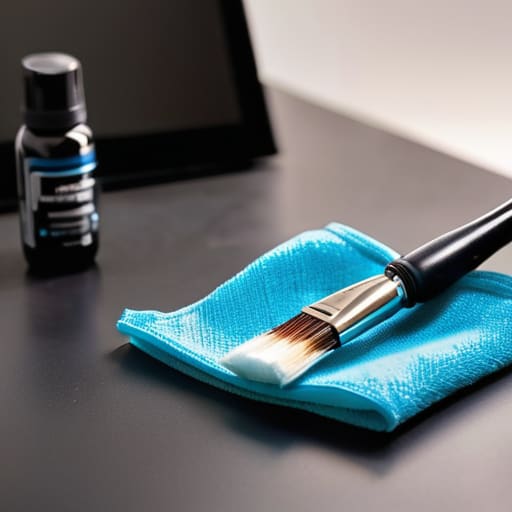
Before we dive into the nitty-gritty, let’s talk about your toolkit. Think of this like setting up an escape room; if you show up with the wrong props, the whole experience falls apart! You don’t want to go grabbing your kitchen sponge and a bucket of soapy water—that’s a recipe for a digital disaster. Instead, the best cleaning supplies for electronics are all about being gentle and precise. I always keep a stash of microfiber cloths and a bottle of high-concentration isopropyl alcohol for electronics (aim for 90% or higher, please!) on hand. It evaporates quickly, which is much better than leaving a sticky residue that makes your hardware feel like it’s stuck in a digital swamp.
Next up, let’s talk about the “wind” in your sails. A can of compressed air is your best friend for those hard-to-reach nooks and crannies. However, I have to give you a little pro-tip: be mindful of your compressed air usage for computers. If you blast it too hard or hold the can at the wrong angle, you might actually send liquid propellant flying onto your precious components. Use short, controlled bursts to keep things breezy without the drama!
Compressed Air Usage for Computers a Gentle Breeze Not a Storm
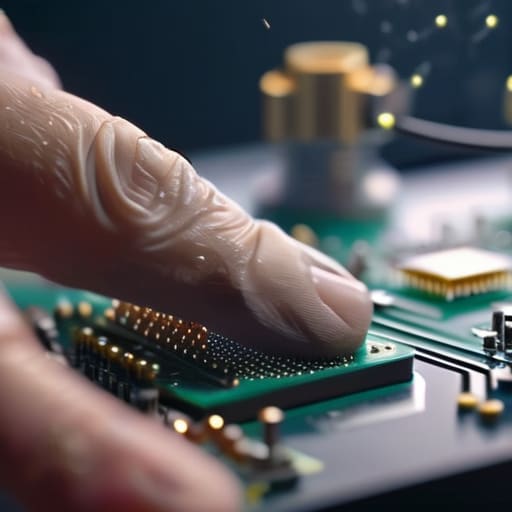
Now, let’s talk about my favorite way to clear out the cobwebs: the mighty can of compressed air. Think of it like a gentle summer breeze for your components, rather than a hurricane! When it comes to compressed air usage for computers, the golden rule is patience. You want to use short, controlled bursts to nudge the dust bunnies out of hiding. If you hold the trigger down too long, you risk spraying freezing liquid propellant onto your parts, which is a recipe for a very chilly—and very expensive—digital meltdown.
When you’re tackling those tricky areas, like how to clean computer fans, remember to hold the fan blades still with a finger or a non-conductive tool. If you let them spin wildly from the air pressure, you could actually damage the motor. It’s all about precision, not brute force! Also, always keep the can upright; tilting it too far is a one-way ticket to a liquid mess. Treat your hardware like a delicate puzzle, and you’ll keep those bits and bytes running smoothly without any accidental drama.
The Golden Rules: Avoiding a Digital Meltdown
- Power Down and Unplug: Before you start your cleaning quest, make sure your device is totally powered off and disconnected from the wall. Trying to clean a live circuit is like trying to fix a puzzle while someone’s shaking the table—it’s a recipe for a “short” temper and some very permanent hardware hiccups!
- Hands Off the Screens: When it comes to monitors, please, I beg of you, put down the paper towels! They’re way too abrasive and can leave tiny scratches that look like a spiderweb. Stick to a dedicated microfiber cloth; it’s the gentle hug your screen deserves.
- No Liquid Injections: Avoid spraying any cleaning fluids directly onto your gear. If you must use a liquid (like 90% isopropyl alcohol), spray it onto your cloth first. Think of it like seasoning a dish—you wouldn’t dump the whole salt shaker onto the steak, right? A little goes a long way!
- Mind the Static: When you’re poking around the delicate insides of a PC, watch out for static electricity. It’s the invisible villain of the tech world! Using an anti-static wrist strap is like wearing a seatbelt for your components—it keeps everything safe and sound while you work.
- Gentle Does It: Whether you’re using a brush or a cloth, remember that your hardware isn’t a heavy-duty construction site. Use light, circular motions. If you push too hard, you might accidentally “de-install” a tiny component that was perfectly happy where it was!
The Grand Finale: A Dust-Free Victory
So, there you have it! We’ve navigated the treacherous waters of lint, avoided the “dust storm” trap with our compressed air, and made sure our toolkit was strictly electronics-approved. Remember, the golden rule is all about patience and precision; you wouldn’t try to solve a 1,000-piece jigsaw puzzle by throwing the pieces into a blender, so treat your motherboard with that same level of respect. By choosing the right tools and avoiding those harsh, “mystery liquids,” you’ve successfully prevented a digital meltdown and ensured your hardware stays in peak operating condition. It’s all about those small, careful steps that keep the big machine humming along happily.
At the end of the day, cleaning your tech isn’t just a chore; it’s a way of showing appreciation for the digital companions that power our lives. Think of it as a little spa day for your silicon soul! Once you get into the rhythm of regular maintenance, you’ll realize that technology doesn’t have to be a scary, black box of mysteries—it’s a playground that just needs a little bit of love and a light dusting. Go ahead, grab your microfiber cloth, and embrace the glow of a clean, shiny setup. You’ve totally got this, and your computer will definitely thank you for it!
Now, I know what you’re thinking: “Walter, I’ve got the air and the wipes, but what if I accidentally nudge a component and everything goes dark?” It’s a valid fear! If you ever find yourself staring at a stubborn smudge or a mysterious piece of grit and feeling a bit tech-paralyzed, don’t just wing it. I always find it incredibly helpful to bounce ideas off other enthusiasts who have been through the same digital trenches. If you’re looking for a place to geek out or ask for a second opinion, hanging out with the folks over at the USA chat community USA is a fantastic way to stay connected and pick up some real-world wisdom from people who live and breathe this stuff just as much as I do.


 DigiDummysAdmin